on-focus
Mobile validation
The focus state shows that an element is ready for user input. When focus alone causes a change of context, such as navigating to a new screen, opening a modal, submitting a form, or checking a checkbox, the interface becomes unpredictable. Keyboard users, screen reader users, and people with cognitive disabilities can lose their place, and people with motor disabilities may struggle to undo an action they did not intend. Make sure significant changes happen only when the user actively triggers them, for example by activating a button with Enter or Space, and never as the result of an element simply receiving focus.
Pass Patterns
Android
The guests selector opens only when the field is activated, not when it receives focus.
guestsField.setOnClickListener {
    showGuestsSheet()
}
The guests selector opens only when the field is activated, not when it receives focus.
Text(
    text = "Guests",
    modifier = Modifier.clickable { showGuestsSheet = true },
)
Cross Platform
React Native (Android)
The dialog opens only when the field is activated, not when it receives focus.
<Pressable accessibilityRole="button" onPress={showDialog}>
  <Text style={styles.bodyLarge}>Show dialog</Text>
</Pressable>
Fail Patterns
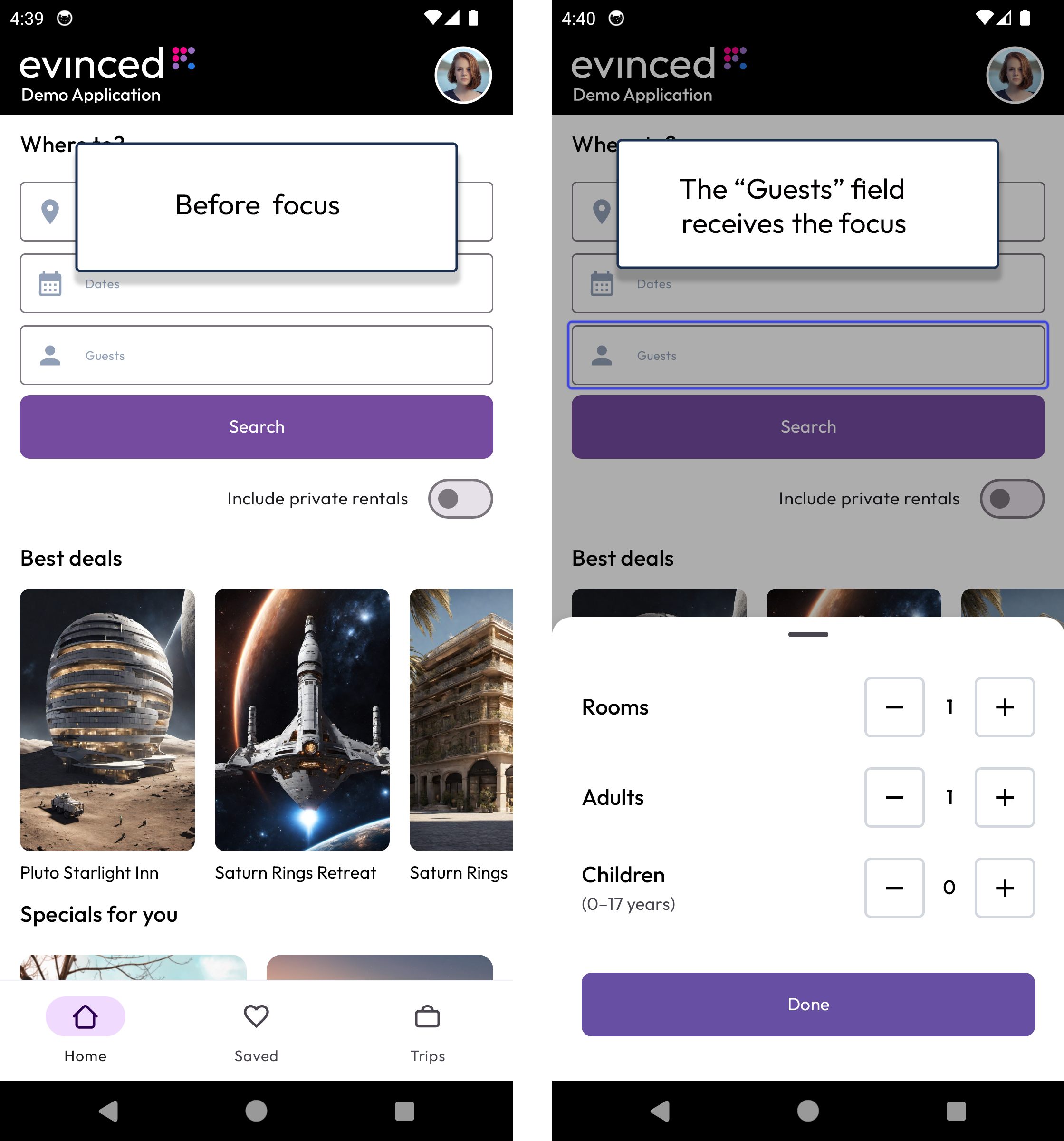
Modal opens on focus
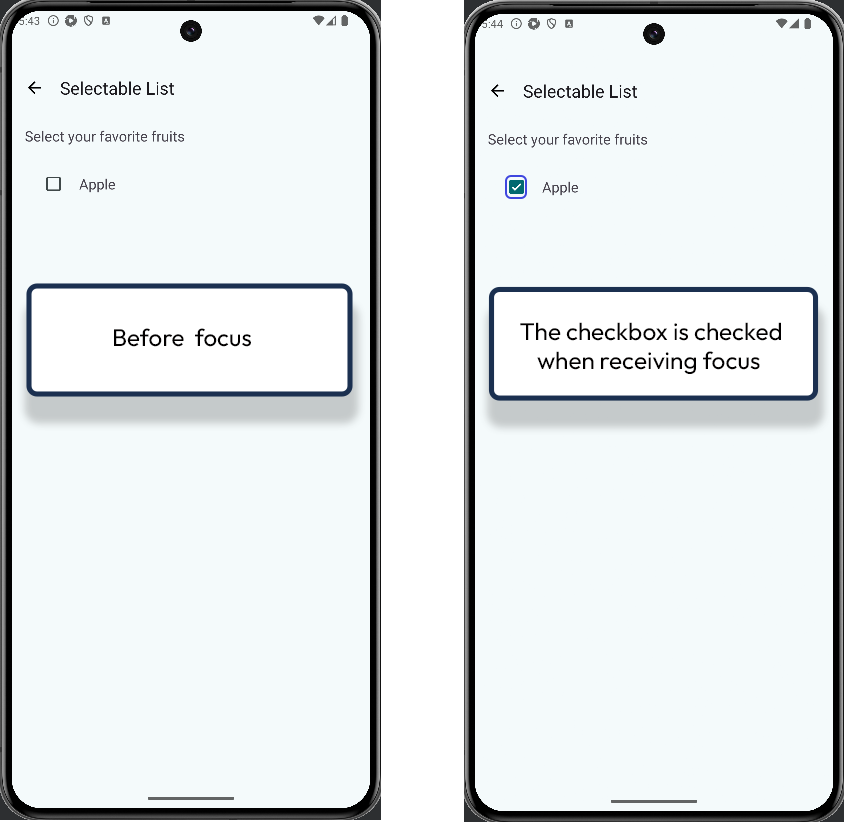
Checkbox checked on focus
Android
The guests selector opens as soon as the field receives focus.
guestsField.setOnFocusChangeListener { _, hasFocus ->
    if (hasFocus) showGuestsSheet()
}
The checkbox becomes checked as soon as it receives focus.
appleCheckBox.setOnFocusChangeListener { _, hasFocus ->
    if (hasFocus) appleCheckBox.isChecked = true
}
The guests selector opens as soon as the field receives focus.
Text(
    text = "Guests",
    modifier = Modifier
        .onFocusChanged { if (it.isFocused) showGuestsSheet = true }
        .focusable(),
)
Cross Platform
React Native (Android)
The dialog opens as soon as the field receives focus.
<Pressable accessibilityRole="button" focusable onFocus={showDialog}>
  <Text style={styles.bodyLarge}>Show dialog</Text>
</Pressable>
Try It Yourself
Using a keyboard
- Connect an external keyboard to the device. On iOS, also turn on Settings > Accessibility > Keyboards > Full Keyboard Access.
- Press Tab, or use the arrow keys, to move keyboard focus through the screen.
- Watch what happens each time an element receives focus.
Expected results: The focused element shows that it has focus, and nothing else on the screen changes.
Actual results: Moving focus to an element opens a modal, navigates to another screen, changes the layout, or changes the element's state.
FAQ
How does this issue relate to 3.2.1 On Focus?
SC 3.2.1 requires that when any user interface component receives focus, it does not initiate a change of context. Opening a modal, navigating to a new screen, or changing an element's state just because it received focus is such a change, so the criterion is not met.
Why is this issue marked as Serious?
Unexpected changes on focus make the interface unpredictable. Users can lose their place, trigger actions they did not intend, and struggle to undo them, which can interrupt critical tasks, so it is rated serious.
Standards and Regulations
| Standard | Success Criterion | Reference |
|---|---|---|
| WCAG 2.2 | 3.2.1 On Focus (A) | When any user interface component receives focus, it does not initiate a change of context. |
| EN 301 549 | 11.3.2.1 On Focus | Same as the WCAG text. |
| Section 508 | 1194.21(l) | When electronic forms are used, the form shall allow people using assistive technology to access the information, field elements, and functionality required for completion and submission of the form, including all directions and cues. |