target-size
Web validation
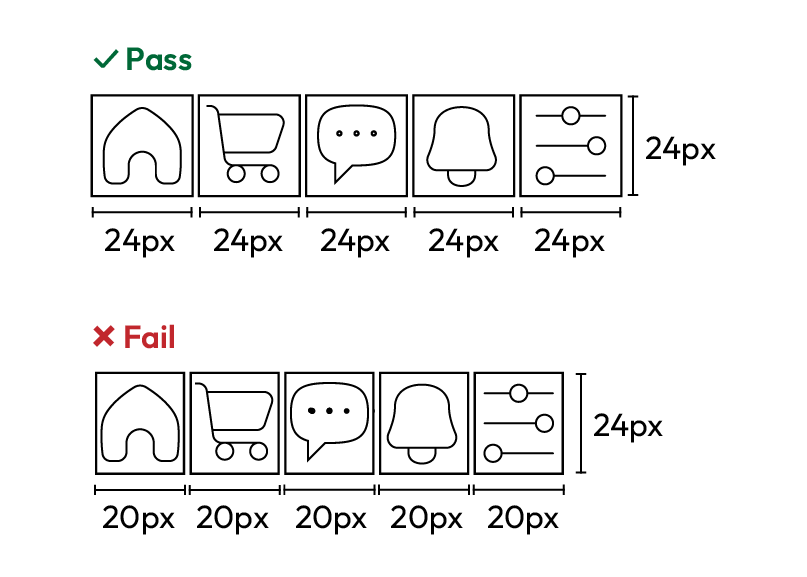
Small or tightly packed controls are hard to hit for people with limited dexterity, hand tremors, or anyone using a touch screen. Targets that are too small and close together invite taps on the wrong control. Give each target an area of at least 24 by 24 CSS pixels:
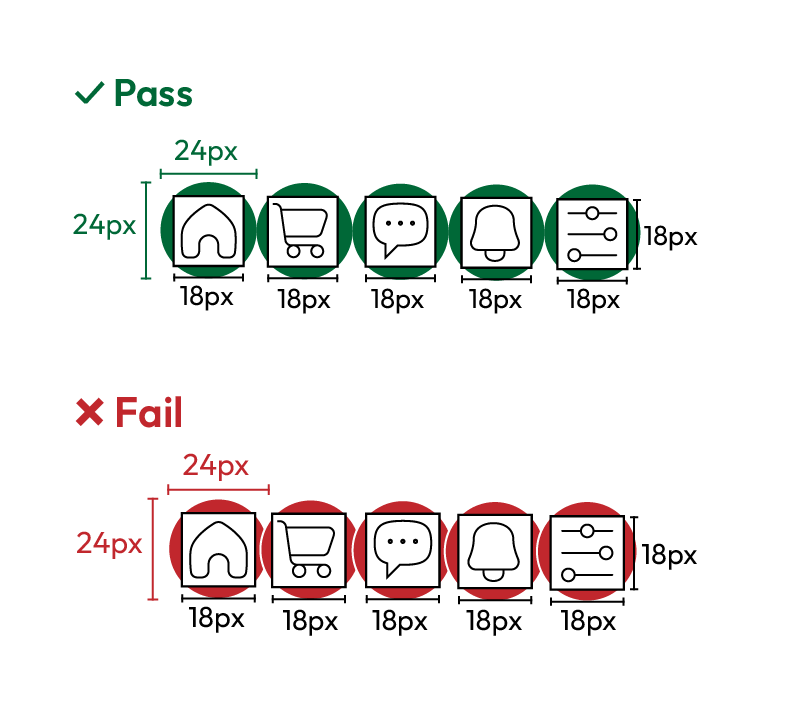
Or leave enough space around a smaller target so a 24-pixel active area does not overlap its neighbors:
Exceptions: The size requirement does not apply when:
- The target is inside a sentence or block of text, and its height is set by the text's line height (for example, an inline link).
- The target's size is set by the browser and not changed by the author's CSS.
- A particular size or presentation is legally required or essential to the information being conveyed.
- An equivalent control that meets the requirement is available on the same page.
Pass Patterns
Target with a sufficient size
The button is at least 24 by 24 CSS pixels, so it is easy to activate on its own.
<button style="min-width: 80px; min-height: 36px;">
    Submit
</button>
Small targets with enough spacing
Each icon is under 24 pixels, but the spacing keeps the 24-pixel active areas from overlapping.
<ul class="toolbar">
    <li><button aria-label="Bold">B</button></li>
    <li><button aria-label="Italic">I</button></li>
</ul>


<style>
    .toolbar button { width: 20px; height: 20px; }
    .toolbar li { margin: 8px; }
</style>
Fail Patterns
Crowded small targets
Two icons under 24 pixels sit with no space between them, so their 24-pixel active areas overlap.
<div class="actions">
    <button aria-label="Edit">E</button>
    <button aria-label="Delete">D</button>
</div>


<style>
    .actions button { width: 16px; height: 16px; margin: 0; }
</style>
WCAG techniques
Sufficient techniques
Try It Yourself
Using a pointer device
- Open the page on a phone or tablet.
- Try to tap each control quickly.
- Note any taps that hit the wrong control.
Expected results: You can reliably hit each control without zooming or repeated attempts.
Actual results: Small or crowded controls cause taps on the wrong target.
Inspecting the browser dev-tools
- Open your browser's dev tools and select a control.
- Read its width and height in CSS pixels.
- If it is under 24 by 24, check the spacing to the nearest target.
Expected results: The target is at least 24 by 24 CSS pixels, or a 24-pixel circle centered on it does not overlap another target or its circle.
Actual results: The target is under 24 by 24 pixels and sits close to another target.
FAQ
How does this issue relate to 2.5.8 Target Size (Minimum)?
SC 2.5.8 asks each pointer target to be at least 24 by 24 CSS pixels, or to have enough spacing around a smaller target. It includes exceptions, such as links inside a sentence, targets sized by the browser, and cases where the size is essential.
Why is this issue marked as Serious?
When targets are too small or crowded, people with tremors, people using screen magnification, and anyone tapping quickly may trigger the wrong control. This can block task completion or cause costly errors, so it is rated serious.
Standards and Regulations
| Standard | Success Criterion | Reference |
|---|---|---|
| WCAG 2.2 | 2.5.8 Target Size (Minimum) (AA) | The size of the target for pointer inputs is at least 24 by 24 CSS pixels, except where an equivalent target is available, the target is inline, a specific presentation of the target is essential, or the target's size is determined by the user agent and not modified by the author. |
| EN 301 549 | 9.2.5.8 Target Size (Minimum) | Same as the WCAG text. |